Active Topics | Member List | Search | Help | Register | Login
The John Byrne Forum
Byrne Robotics > The John Byrne Forum << Prev Page of 2591 Next >>
Topic: What’s in your sketch book? Post ReplyPost New Topic
Author
Message
Sebastien Roy
Byrne Robotics Member
Avatar

Joined: 12 November 2008
Location: Canada
Posts: 895
Posted: 21 April 2010 at 10:38am | IP Logged | 1 post reply

Very nice Mal...love the use of grey tones...that's something I might try someday...

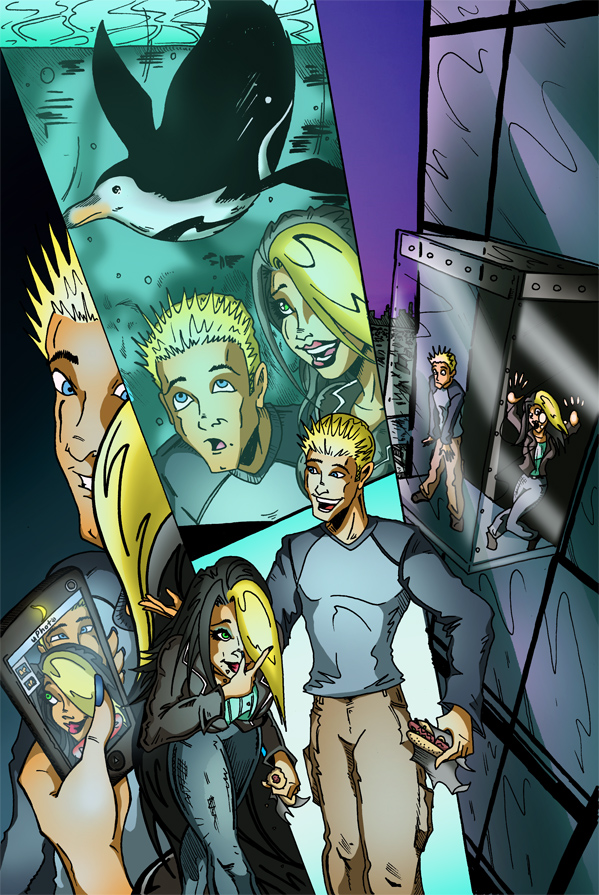
JT...beautiful coloring as usual...

Didier...can't see the picture at work (blocked by the firewall) but I'm sure it's something quite nice...will have a look at it tonight.

Back to Top profile | search | www
 
JT Molloy
Byrne Robotics Member
Avatar

Joined: 19 February 2008
Posts: 2092
Posted: 21 April 2010 at 2:24pm | IP Logged | 2 post reply


Awwww..... (My comic isn't ALWAYS people's heads getting chopped in half!) :-D
Back to Top profile | search
 
Carmen Bernardo
Byrne Robotics Member
Avatar

Joined: 08 August 2006
Location: United States
Posts: 3666
Posted: 21 April 2010 at 6:03pm | IP Logged | 3 post reply

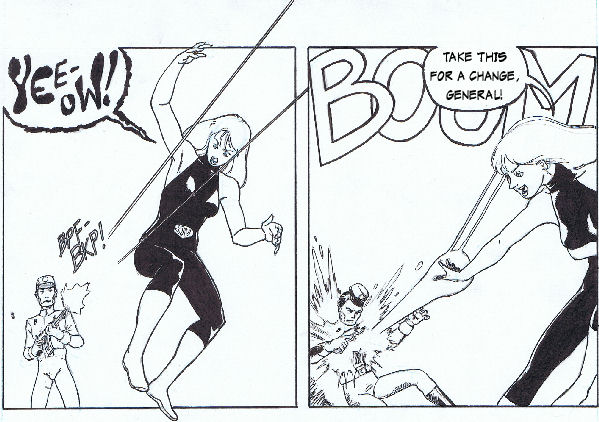
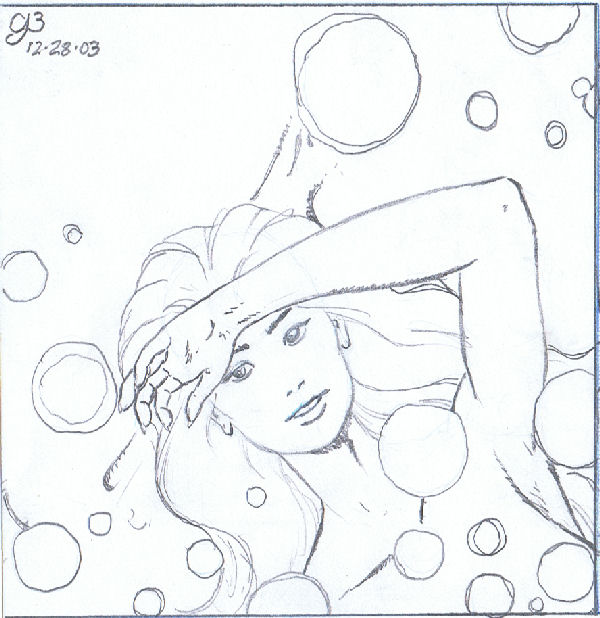
I finally got around to inking this.  Scanned on the laptop because the confounded PC went tits up on me again.

I worked this on through with a series of different inking methods just to see which one looked better.  Most of the black areas on my heroine's costume on the left-hand panel were done using a PITT brush-marker; large parts on the right were done using a Winsor-Newton red sable #2 brush dipped in Pelikan India ink.  I'm leaning towards the latter, as the PITT markers are a bit lighter.

One more thing: I can see what JB is talking about on some of his commission postings about the more recent PITT brush-tips being of poor quality.  I really tore that thing apart just for the little space that I was laying down.  One more reason to dust off the old sable brushes.

Back to Top profile | search
 
Didier Yvon Paul Fayolle
Byrne Robotics Member
Avatar

Joined: 25 January 2005
Location: Hong Kong
Posts: 5270
Posted: 21 April 2010 at 7:33pm | IP Logged | 4 post reply

Sebastien. Problem fixed now.
Back to Top profile | search | www
 
William McMahon
Byrne Robotics Member
Avatar

Joined: 24 March 2009
Location: Canada
Posts: 224
Posted: 22 April 2010 at 5:30am | IP Logged | 5 post reply

" You might notice that some of the construction lines that I lay down are done in light blue pencil.  This is something that I observed from John Romita Jr back when he contributed to the original Marvel Try-Out Book.  As I've explained to audiences on DeviantART.com, the blue pencil isn't supposed to show up on black-and-white photocopy machines.  However, the modern scanners will show them up if you use the color settings (although I'd like to experiment with a greyscale setting to see if the photocopier effect can be achieved)." Carmen Bernardo.

Carmen, in the Photoshop 7 editor suite there is an enhance> adjust color> remove color. This works great for removing the blue line pencils from your drawing. I do my page roughs in blue then use a click pencil to trace what I like then scan into PS; drop the color and end up with the finished layout that I print on regular paper. I'll then work my lighting on the printed copy (since I can bugger it up and still erase and the original layout will stay). Then I put that on the light box and ink without ever having the pencil on the final art page.
Back to Top profile | search e-mail
 
Sebastien Roy
Byrne Robotics Member
Avatar

Joined: 12 November 2008
Location: Canada
Posts: 895
Posted: 22 April 2010 at 8:02am | IP Logged | 6 post reply

I have never experimented with blue pencils myself...I prefer the good ol' mechanical pencil...but I can understand why some of the pros use them.

Back to Top profile | search | www
 
Carmen Bernardo
Byrne Robotics Member
Avatar

Joined: 08 August 2006
Location: United States
Posts: 3666
Posted: 22 April 2010 at 12:33pm | IP Logged | 7 post reply

   Interesting suggestion, William.  I might try and seek out a similar command in Jasc Paint Shop Pro 9.  Otherwise, I'm also considering setting my next scan of this piece (now cleaned up a bit with eraser and white acrylic paint) to black-and-white or greyscale 600 dpi to see what the result will be.

   Senastien, when Marvel Try-Out Book volume one came out, they were still using the old photographic machine used in newspaper printing, so any of the blue pencil lines which remained on the page would probably not have transferred over to the photocopies being made.  More recently, with color scanning technology and software, that advantage to using blue pencil has been neutralized.  Hence my seeking a means of setting scans to "miss" blue pencil marks.

Back to Top profile | search
 
Carmen Bernardo
Byrne Robotics Member
Avatar

Joined: 08 August 2006
Location: United States
Posts: 3666
Posted: 22 April 2010 at 1:07pm | IP Logged | 8 post reply

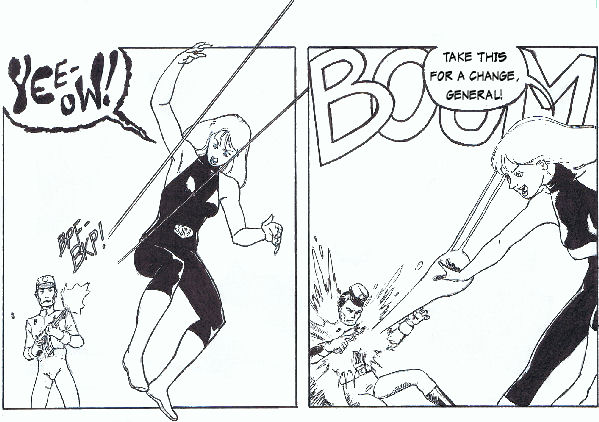
Aaand, with no further ado...

   I actually followed up on William's suggestion and found a color replacer function within PSP9 on the toolbar.  Just Ctrl-leftclick the color you're replacing and Ctrl-rightclick the one you'll be replacing it with (in my case, left clicking the smudge or leftover pencil line as the foreground color and right clicking the white space as the background), and paint away.  Done using a wireless mobile mouse I just brought at the local Borders Books & Music coffee shop.

Back to Top profile | search
 
Carmen Bernardo
Byrne Robotics Member
Avatar

Joined: 08 August 2006
Location: United States
Posts: 3666
Posted: 22 April 2010 at 5:09pm | IP Logged | 9 post reply

Since I got home, I went on this kick with the MFC-6490 CW scanner.  I just had to bring up a few more from my scrap drawer...

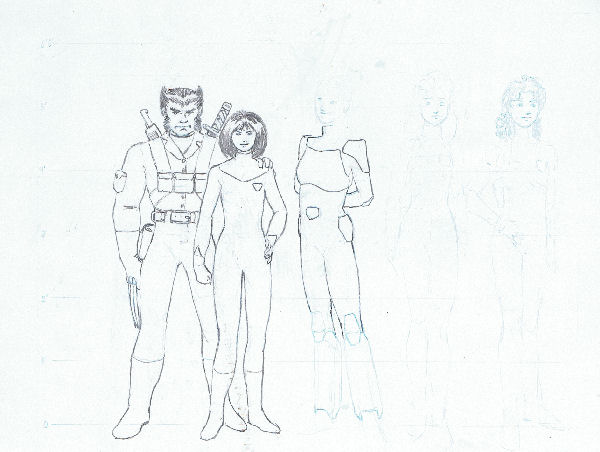
Back in '97 and '98, I was in the midst of a serious fan-fiction kick.  This was an (incomplete) character design sheet using some of the X-books characters for what had turned into an abortive effort for me.  It's probably just as well, as several of them were quite OOC ("out-of-character," in fanfic-speak).

l.-r.: Wolverine, Jubilee, (partially penciled: M, Husk, and Shadowcat)

Back to Top profile | search
 
Carmen Bernardo
Byrne Robotics Member
Avatar

Joined: 08 August 2006
Location: United States
Posts: 3666
Posted: 22 April 2010 at 5:10pm | IP Logged | 10 post reply

An original character sketched up during a day off from an old job...

Back to Top profile | search
 
Carmen Bernardo
Byrne Robotics Member
Avatar

Joined: 08 August 2006
Location: United States
Posts: 3666
Posted: 22 April 2010 at 5:25pm | IP Logged | 11 post reply

And, finally, a 4-page thumbnail series of what would've been a big fight scene in one of my comicbooks.
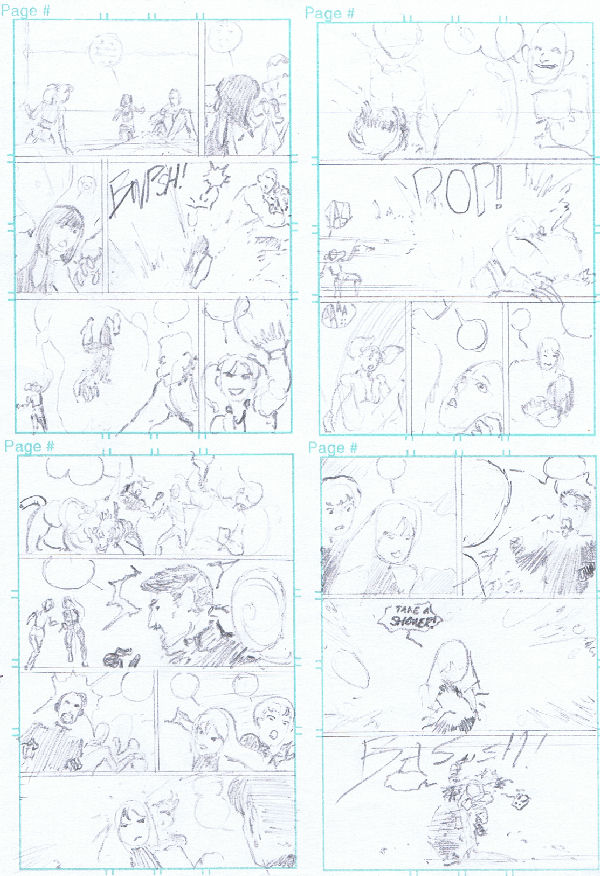
The sequence of the action would gone like this:

PAGE ONE

   Kid Fury takes on Panzer and has him on the ropes, until his partner Aqua intervenes and hydrokinetically slams a poolfull of water on her.

PAGE TWO

   As Kid Fury starts to drown, Panzer is gloating but something smashes through the ball of water entrapping her and splatters it, getting Panzer wet and stunning Aqua, whose concentration on maintaining the water prison was broken.  KF opens her eyes and finds herself in the arms of her teammate, Sidewinder.

PAGE THREE

   The other villains, Mindbender and Concentric Man, have Mandragore and Powerhouse on the ropes with a double-team psionic attack when Kinetik and Shakti arrive on the scene.  Mindbender turns his attention to the heroines, but Shakti puts herself between him and the others, taking the brunt of the psi-attacks.

PAGE FOUR

   When he doesn't see Shakti buckling under his psi-blasts, Mindbender ramps it up but that proves his undoing, as she is able to absorb all of the energy from his attacks and converts it into a blast of tiny biokinetic bubbles which pushes him into his partner Concentric Man with enough force to knock them both out.

Back to Top profile | search
 
Dan Avenell
Byrne Robotics Member
Avatar

Joined: 06 March 2008
Posts: 1038
Posted: 24 April 2010 at 5:25pm | IP Logged | 12 post reply


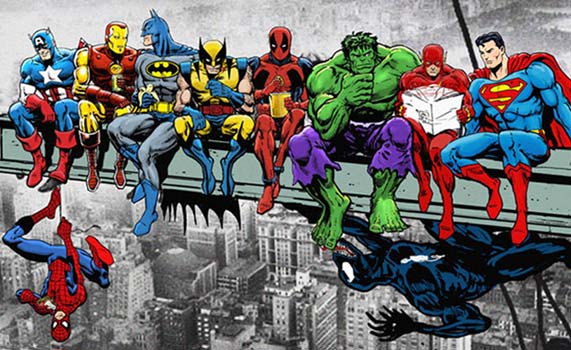
It's a commission (and the commissioners idea) , and loses a lot of detail at this size, still... here it is
Back to Top profile | search
 

<< Prev Page of 2591 Next >>
  Post ReplyPost New Topic
Printable version Printable version

Forum Jump
You cannot post new topics in this forum
You cannot reply to topics in this forum
You cannot delete your posts in this forum
You cannot edit your posts in this forum
You cannot create polls in this forum
You cannot vote in polls in this forum

 Active Topics | Member List | Search | Help | Register | Login